
Table of Contents
Introduction
With the rising adoption of electric vehicles (EVs), finding available charging stations has become an essential need for drivers. Apple Maps has integrated new functionalities that cater to the needs of EV owners, efficiently aiding in the discovery and navigation to electric car charging stations. The fitness of these features was introduced with the release of iOS 17, offering a suite of updated tools designed to enhance convenience for EV charging.
Explanation of Electric Car Charging Stations on Apple Maps
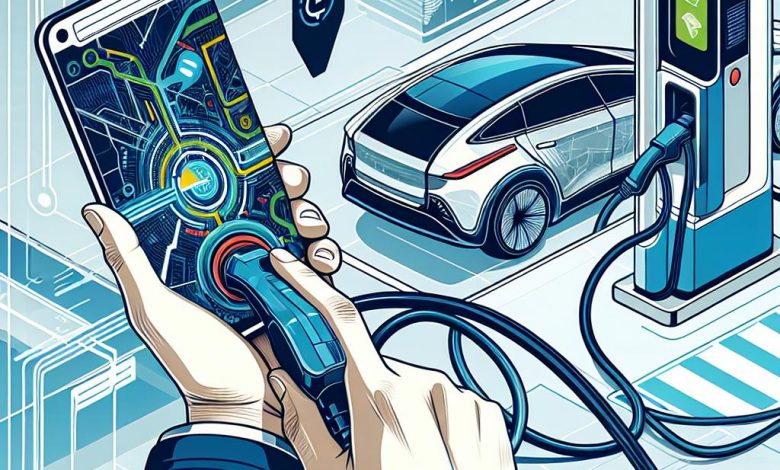
Apple Maps has stepped up its game for EV drivers by incorporating a feature that helps locate electric car charging stations. This service provides comprehensive information including charger availability, charging speeds, and connector types, tailored to the user's specific EV model. By understanding the real-time charging landscape, EV drivers can plan their routes better and ensure they’re never caught without power.
Availability of New Features in iOS 17
The much-awaited iOS 17 brings to the forefront an array of new features for Apple Maps users, with a special focus on EV owners. Among these enhancements is the ability to view real-time charging station occupancy, offering EV drivers the convenience of identifying available charging spots with ease. This development not only facilitates efficient route planning but also propels Apple's involvement in promoting sustainable travel.
Updating to iOS 17
For users looking to take advantage of Apple Maps' enhanced functionalities for finding electric car charging stations, upgrading to iOS 17 is indispensable. The latest version of iOS introduces significant improvements, enabling a more seamless experience for electric vehicle owners on the road. Ensuring that your device can run iOS 17 and following the correct procedure for the software update are the first steps toward accessing these innovative features.
Checking if Your Device is iOS 17 Compatible
Before proceeding with the software update, it's important to check if your current iPhone supports iOS 17. Apple typically continues support for many previous models with each new iOS release, but it's always best to verify compatibility. You can find the list of iOS 17 compatible devices on Apple's official website or through the Settings app on your iPhone. Your device should meet the minimum hardware requirements to ensure that it can handle the updated operating system efficiently.
Process to Update the Software
To update your iPhone to iOS 17, begin by ensuring that you have backed up your data to iCloud or your preferred backup method. This step protects your important information in case of any issues during the upgrade. Next, go to 'Settings' > 'General' > 'Software Update' on your iPhone. The device will check for the latest available software update, which should be iOS 17 if it hasn't been installed already. Ensure that your device has a stable Wi-Fi connection and sufficient battery charge or is connected to power before starting the download. Once downloaded, you can install the update, which may take around 20 minutes to complete. After installation, your iPhone will restart and be ready to use with all the latest features, including the upgraded Apple Maps with electric car charging station locators.
Locating Charging Stations Using Apple Maps
Finding electric vehicle (EV) charging stations has been simplified with the enhanced functionalities of Apple Maps. With just a few taps, users can discover the nearest charging points, making the process of recharging an EV both convenient and less stressful while traveling.
Searching for “charging station” or “car charge point”
To begin the search for nearby charging stations, open the Apple Maps app on your iOS device and type "charging station" or "car charge point" into the search bar. Apple Maps will then present a map with pins indicating the locations of various EV charging stations, along with relevant information such as the provider and charging capacity.
Using filters to refine search results (e.g., speed, availability)
For a more targeted search, Apple Maps allows users to apply filters based on desired charging speed, real-time charger availability, and more. This feature helps in narrowing down the options to find charging stations that best match the user's needs and preferences, optimizing route planning for EV drivers.
Understanding search result details (number of chargers, type of connectors, speed)
Apple Maps not only helps locate EV charging stations but also provides detailed information about each site. This includes the total number of available chargers, the types of connectors offered, and the charging speeds attainable. These details are essential for users to determine the compatibility and convenience of a particular charging station for their specific EV model.
Getting driving directions to the chosen charging station
Once a suitable charging station is selected from the search results, Apple Maps can guide the user with turn-by-turn directions right to the desired location. This seamless integration of navigation and EV support in Apple Maps streamlines the experience for EV drivers, making it easier than ever to reach their charging destinations.
Potential Future Improvements
While Apple Maps has integrated features to help find electric car charging stations, there's room for growth as the shift towards electric vehicles gains momentum. The Cupertino-based tech giant has an opportunity to refine the tools available to EV owners, ensuring that Apple Maps remains a cutting-edge and user-friendly service.
The Current Ease of Locating Gas Stations as a Comparison
Compared to the quick access to finding gas stations, where users can easily find nearby fuel stops with a simple shortcut within Apple Maps, charging stations for electric vehicles lack similar prominence. The disparity reflects the current need for Apple Maps to evolve further in facilitating effortless location services for the increasing EV market.
The Need for a Dedicated Shortcut for Charging Stations
Creating a dedicated shortcut to EV charging stations within Apple Maps could mirror the current ease of locating gas stations. This would simplify the process for electric car owners, making it safer and more convenient to find their next charge without the need for manual, and potentially unsafe, searches while driving.
Legal Issues with Using Apple Maps While Driving
The current process of typing "charging station" into the Apple Maps search bar while driving is not only a distraction but also a legal liability, as many jurisdictions penalize the use of smartphones while operating a vehicle. A shortcut or a voice-activated search functionality could help mitigate this issue, enhancing safety for EV drivers.
Suggestions for Deeper CarPlay Integration and Added Convenience Features for EV Drivers
Enhancing Apple Maps with more in-depth CarPlay integration could lead to automatic route adjustments that factor in a vehicle's remaining range and prompt for necessary charging stops along the way. Advanced features might include the ability to filter out charging stations that are outside an EV’s current range, further tailor-fit the route planning experience to the needs of the EV community, and integrate with features like preferred charging networks or charger type compatibilities.




