
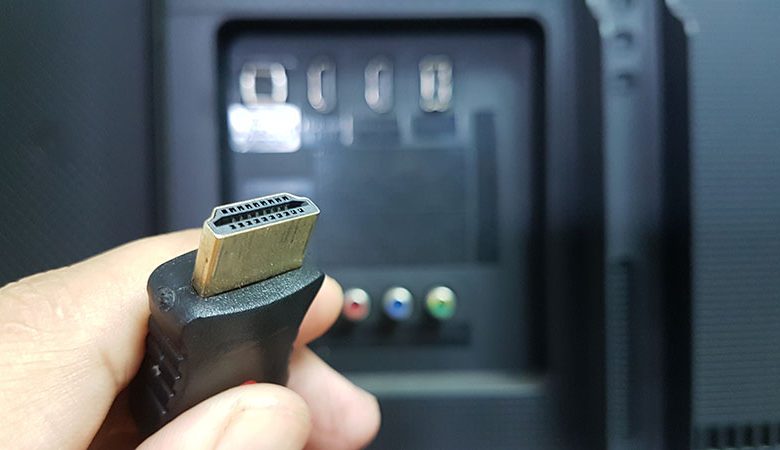
When discussing video output quality for monitors and TVs, it's essential to understand screen resolutions and HDMI cables' role. For example, critical to this discussion is understanding the characteristics of the 2560x1440p resolution and how HDMI cables accommodate such a high resolution.
Table of Contents
Definition of 2560x1440p Resolution
The 2560x1440p resolution, also known as Quad High Definition (QHD), provides a highly detailed viewing experience. It features 2560 pixels horizontally by 1440 pixels vertically and is considered a high-resolution format primarily used for high-end gaming, professional photography, and film editing. This resolution delivers more detail and depth in the image, creating an immersive, more realistic experience for the user. However, to enjoy this high-quality resolution, your video cable, usually an HDMI cable, must support it.
Limitations of Standard HDMI Cables
Standard HDMI cables, typically categorized as "Standard HDMI," may not suffice when transmitting higher resolutions like 2560x1440p. These cables usually support resolutions up to 720p or 1080i. This limitation arises from the cable's bandwidth, which may need to allow more data transmission for higher resolutions.
Use of High-speed HDMI Cables for Higher Resolution
For higher resolutions like 2560x1440p, you'd better use high-speed HDMI cables. These are typically HDMI cables version 1.3 and above. They have greater bandwidth capabilities and can transmit the quantity of data required for a higher-resolution display. However, checking your monitor's capabilities and whether it can display such a high resolution is crucial. Also, ensure that your graphics card can support it as well.
In summary, the type of HDMI cable significantly affects the resolution your system can handle. Therefore, for optimal performance when aiming for 2560x1440p resolution, it is advisable to opt for High-Speed HDMI cables and ensure your monitor and graphics card can support such resolution.
The Role of Monitor, GPU, and HDMI Ports
In attaining high screen resolutions, such as the 2560x1440p, it's crucial to consider various components beyond just the HDMI cable. These include the monitor's capabilities, the compatibility of the Graphics Processing Unit (GPU), and the HDMI standards adhered to by each device. Additionally, high resolutions at high refresh rates require significant transmission speeds that hinge on your monitor and GPU's abilities.
Importance of Monitor's Ability to Support 2560x1440 Resolution
To display a 2560x1440p resolution, your monitor should be capable of supporting this setting. All 4K monitors should be able to handle this resolution, but standard 1080p monitors may need downscaling, which isn't advisable due to compromise in picture quality. Before considering using a high-speed HDMI cable for optimal resolution, ensure your monitor can correspondingly support it.
Need for GPU Compatibility with Desired Resolution
Your Graphics Processing Unit (GPU) also plays a pivotal role in supporting high-resolution displays. Although some GPUs permit the setting of higher resolutions like 1440p, they may need to perform more adequately when running graphically intensive applications like games. So, while movies – which aren't subject to real-time – might work smoothly, games would require a GPU that can keep pace with real-time graphics rendering at such resolutions.
Influence of HDMI Standards on Resolution and Refresh Rates
The HDMI standard also impacts the resolution and refresh rates your system can handle. Different HDMI port standards can support varying resolutions and refresh rates. Therefore, it's essential to be aware of your devices' standards. Newer HDMI 2.0 and higher standards are recommended for higher-resolution displays as they provide increased bandwidth capacities for transmitting more considerable amounts of data.
Dependency of Transmission Speed on Monitor and GPU Capabilities
Achieving high resolutions at elevated refresh rates, such as 2560×1440 @ 240 Hz, requires a high transmission speed, approximately 32gbits/s. That means your monitor and GPU need to be able to accommodate such high transmission speeds to enjoy these settings fully. If not, you must settle for lower refresh rates while enjoying high resolution.
In essence, achieving optimal resolutions goes beyond having the appropriate HDMI cable. It involves a complex interplay between various device components and their corresponding standards.
Specifications of Different Types of HDMI Cables
Although all HDMI cables may seem similar, there are distinctive types with different specifications, particularly regarding supported data bandwidths, affecting the supported resolutions and refresh rates. With the requirements of modern high-resolution displays, understanding these differences becomes imperative for ensuring optimal performance.
Different types of HDMI Cables and Their Supported Resolutions
There are three categories of HDMI cables - Standard HDMI cables, High-Speed HDMI cables, and Premium High-Speed HDMI cables. The main distinguishing traits lie in their data-carrying capabilities and supported resolutions. For instance, Standard HDMI cables are usually suitable for resolutions up to 720p or 1080i. For 4K and higher refresh rate gaming, you need High-Speed HDMI cables or Premium High-Speed HDMI cables as they support higher bandwidths, accommodating larger data volumes.
Importance of Modern HDMI Standards
The version of HDMI is another critical factor to consider. Each new version implements improvements in support of higher resolutions and refresh rates due to increased bandwidth. Currently, HDMI 2.1 is the most recent version that provides the highest bandwidth capability, which can support resolutions up to 10K, and features enhancements focused on characteristics like reduced latency. Thus, selecting a recent HDMI standard could future-proof your setup, allowing you to enjoy high resolutions and refresh rates.
How to Identify the Type of HDMI Cable
Identifying the type of HDMI cable you possess or intend to purchase is crucial. Usually, this can be determined from the labeling on the packaging or sometimes on the cable itself. Look for terms such as "High Speed" or "Premium High Speed" to identify if the cable supports higher resolutions, such as 2560x1440p. Also, inspecting the build quality can offer clues; HDMI cables with gold-plated connectors and sturdy cable jackets often belong to higher categories. Finally, do remember to ensure compatibility with your devices before purchasing.
Therefore, understanding the specifications of different HDMI cables and their supported resolutions is pivotal when setting up a high-resolution display system.
Alternatives to HDMI and Final Thoughts
In pursuing a 2560x1440p resolution or higher, HDMI might be the only cable option. While HDMI cables, especially the high-speed varieties, are highly competent for this purpose, other alternatives can also fulfill these display requirements seamlessly.
Recommendations for DisplayPort or Dual Link DVI
DisplayPort (DP) cables are known for supporting high-resolution displays. Versions like DisplayPort 1.2 and 1.4 can support resolutions up to 3840×2160 pixels at 60Hz and 7680×4320 at 60Hz, respectively, making them a suitable alternative to HDMI for high-end laptops, gaming monitors, and desktop computers.
Another alternative cable type supporting 2560x1440p resolution is the Digital Video Interface (DVI) cable. Among its variations - DVI-D, DVI-A, and DVI-I, the DVI-D cables are particularly notable for high-resolution displays with capabilities reaching up to 2560×1600 at 60Hz.
Significance of HDMI Cable Bandwidth for High-resolution Screens
Regardless of your cable type, the crucial factor determining its ability to support high-resolution displays is its data bandwidth. High-resolution scenarios demand significant data transfer rates, thus requiring cables, like the High-Speed HDMI or DisplayPort, capable of handling this data load.
The Inefficiency of VGA Cables for High-resolution Displays
It is also worth mentioning that VGA cables are generally not suitable for high-resolution displays due to their limited bandwidth and analog nature. As high-resolution scenarios entail large quantities of data, VGA cables can't support the levels of data density required for such high resolutions.
The HDMI Standard’s Independence of HDMI Cable Type
As a note, the HDMI standard, defining the bandwidth and features of the HDMI signal, is independent of the HDMI cable type. Whether Standard or High-Speed, the HDMI cable type determines the cable's capability to transmit the HDMI signal effectively. That means that an HDMI 2.1 signal, which supports exceptionally high bandwidth, could theoretically be carried over a High-Speed HDMI cable as long as it is robust and short enough to handle the necessary data rates.
In summary, while HDMI cables are proficient in handling high-resolution requirements, alternative options like DisplayPort and DVI-D cables also offer high capabilities, providing flexibility based on individual needs and device compatibility.




