
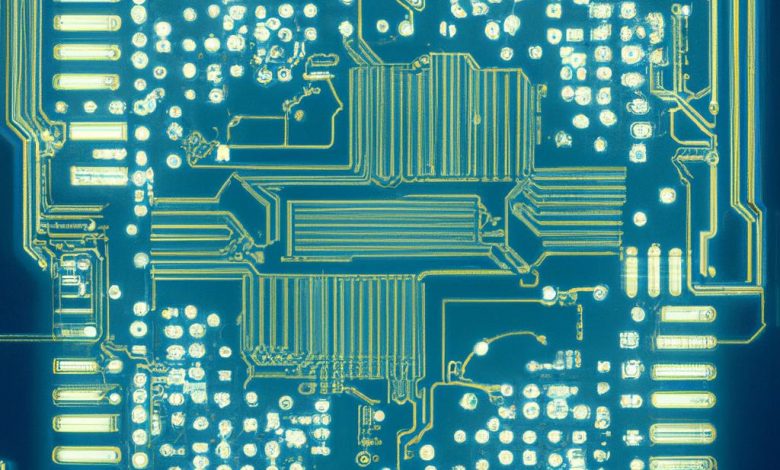
Yes, a bad or even an outdated motherboard can affect the performance of your computer. This impact can be either direct or indirect and will heavily influence your computer's overall performance and functionality.
Table of Contents
Indirect Impact on Performance
A motherboard can indirectly affect the performance of your PC in terms of accessibility to new and updated technology. That is particularly noticeable when dealing with motherboards that are old or of low quality. Its ability to support new technology, such as M.2 SSD hard drives, which offer significant speed advantages, will be limited.
Inaccessibility to New Technology
New technologies often require specific hardware support to function at their full potential. For example, M.2 SSDs are very fast but need your motherboard to support them. Older motherboards may offer different compatibility, limiting your ability to upgrade and improve the speed and performance of your system.
Impact on Overclocking Components
For enthusiasts who perform overclocking to get more performance from their hardware, the quality and features of the motherboard play a critical role. Not all motherboards support overclocking, and doing so with an unsuitable motherboard can be risky and may provide negligible performance improvements.
Direct Impact on Performance Due to Power Delivery System
A lousy motherboard can directly affect your PC's performance through its power delivery system. If the motherboard's power delivery is defective or inadequate, it may not be able to supply enough power to the various components of the computer. That can slow down performance, with the potential for system slowdowns or even crashes.
Impact of a Good Motherboard on PC Performance
While a lousy motherboard can limit your PC's performance, investing in a good one can enhance it. A good motherboard can lead to increased overall performance, the possibility to upgrade critical components like CPU and GPU, and give you the capacity to boost your memory with better RAM.
Increased Performance With a New Motherboard
If you shuffle out a faulty or outdated motherboard and replace it with a new one, you will likely see an improvement in PC performance. A new motherboard provides better stability and reliability, directly translating into smoother and faster performance, especially when performing resource-demanding tasks such as gaming or video editing.
Possibility of Upgrading CPU and GPU
You can upgrade your CPU and GPU with the correct motherboard, significantly impacting PC performance. With various motherboards having different CPU sockets, an upgraded motherboard opens up the possibility to upgrade your CPU, thus enhancing speed and processing power. Similarly, the GPU connects via a PCIe slot, and older motherboards may not support the latest GPUs. Therefore, by upgrading the motherboard, a pathway to GPU upgrade becomes available, massively boosting your PC's graphical power and visual performance.
Availability to Upgrade RAM
The motherboard also regulates the type of RAM you can install on your PC. A new, modern motherboard can provide support for up-to-date RAM technologies. Given RAM's essential role in ensuring your PC runs smoothly and is capable of multitasking, being able to upgrade your RAM can lead to a significant performance boost.
Signs of a Bad Motherboard
A bad motherboard can manifest through various symptoms, which can cause your PC to be unstable or non-functional. Recognizing these signs is essential to preventing further damage and troubleshooting effectively. Here are some typical indicators of a bad motherboard:
The Computer Fails to Boot or Doesn’t Power On
One of the more evident signs of a faulty motherboard is when your computer fails to boot or doesn't power on at all. While this can be due to other hardware issues, the failure of a system boot or power is often indicative of a problematic motherboard.
Beeping Sounds From the Computer
A distinctive sign is hearing beep sounds when you start your computer. If your motherboard is faulty, you'll likely hear one beep, a pause, followed by a series of further beeps. The number of beeps often depends on the specific type of motherboard you have and may need to be looked up online for exact troubleshooting.
Unexpected Blue Screen, Freezing, or Power Downs
If your computer randomly experiences the notorious blue screen of death, freezes, or powers down unexpectedly, these are potential signs of a bad motherboard. Stability issues can indicate a motherboard problem, mainly if they occur frequently and without an apparent cause.
Non-responsive Peripherals and Devices
Another common symptom surfaces when connected peripherals and devices, like printers or external drives, fail to respond as expected. If these devices function correctly on other systems, your motherboard may be the problem.
Overheating Computer
An often overlooked symptom is an overheating computer. While multiple factors can cause overheating, a faulty motherboard that cannot accurately regulate and distribute power can lead to overheating, further exacerbating system instability and causing additional problems if not addressed promptly.
Duration and Upkeep of Motherboards
In addition to recognizing the symptoms of a bad motherboard, it's equally vital to understand the lifespan of a motherboard and the factors that contribute to its longevity, including care and upkeep, usage type, environment, and BIOS support.
Average Duration of a Motherboard
Motherboards are generally durable computer components and can last a significant amount of time, provided they are well-maintained. An office computer's motherboard can function optimally for up to 20 years, while highly overclocked gaming systems may have a shorter lifespan. However, even gaming motherboards can last for several years with proper upkeep.
Importance of Longevity Care
Proper maintenance plays a critical role in preserving a motherboard's lifespan. That involves keeping the computer clean from dust and dirt, ensuring adequate cooling, and updating the BIOS regularly with patches and fixes from the manufacturer. Regular maintenance extends the motherboard's life and aids in preventing performance issues.
Impact of Activities on Lifespan
The lifespan of a motherboard can be heavily affected by its workload. For instance, motherboards in computers used primarily for office tasks tend to last longer than those in heavily overclocked gaming systems, which are under increased stress and heat that can accelerate wear and tear.
Effects of Humidity on the Motherboard
Environmental factors too influence a motherboard's lifespan, with high humidity being a leading cause of motherboard failures. Living in an area with high humidity requires taking extra precautions, such as using anti-humidity measures, to prevent moisture-related damage and enhance the longevity of the motherboard.




