
Table of Contents
AirTag Firmware Update Introduction
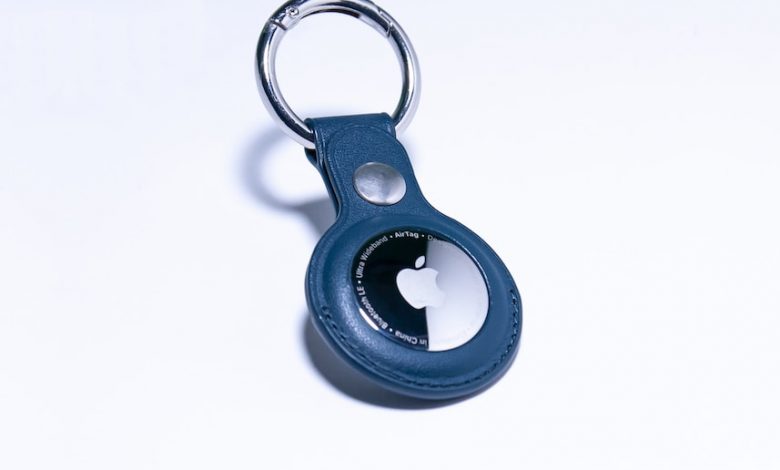
Apple's AirTag is a valuable tool for tracking and locating personal items, and like any technology, it relies on firmware to function effectively. Firmware updates are essential to enhance performance, offer new features, and address any potential security vulnerabilities. For AirTag owners, staying on top of these updates ensures they can take full advantage of the device's capabilities and enjoy a seamless experience when locating their belongings.
Sporadic Release of Firmware Updates
Unlike regular app updates, AirTag firmware updates don't follow a predictable schedule and can be released quite sporadically. This means that AirTag owners must remain attentive to news of any new updates to ensure their devices are running the most current version of the firmware. These updates often contain important improvements and bug fixes that contribute to the device's overall performance and reliability.
Latest Version 2.0.61 and Gradual Rollout
The latest firmware update for the AirTag, version 2.0.61, is being distributed in a phased manner. Apple has chosen to gradually roll out this update, with only a small percentage of devices receiving it at first. This approach allows Apple to monitor the update's performance and ensure there are no widespread issues before making it available to all AirTag users. Typically, it can take several weeks for a new firmware update to reach all devices in the field.
Lack of User Control and Information
The AirTag firmware update process is designed to be hands-off, with no option for users to manually initiate an update. This lack of user control means that an AirTag must simply be in close proximity to its paired iPhone to automatically receive updates as and when they are pushed by Apple.
No Manual Initiation of Firmware Updates
Unlike some other tech devices that allow users to trigger firmware updates manually, AirTags update without any user interaction. Owners must ensure their AirTags are near their iPhone and be patient, as the update process is done behind the scenes.
The Process is Purely Automatic, Requiring Proximity to the Paired iPhone
The automatic update mechanism is designed to require minimal effort from the user, which entails keeping AirTags within a certain proximity of their connected iPhone. The updates tend to occur over time without any confirmation or notification, making it a passive process for device owners.
Absence of Release Notes and Announcements from Apple
Apple does not provide release notes or formal announcements for new AirTag firmware updates, leaving users in the dark about the specifics of the changes and improvements incorporated. This lack of information makes it difficult for users to understand what new features or bug fixes have been implemented with each update.
Checking and Updating AirTag Firmware
Although users can't directly initiate AirTag firmware updates, they can check the firmware version to ensure their AirTag is up to date. This is done through the Find My app, and it's a straightforward process that allows users to verify that they have the latest enhancements and fixes.
Instructions on How to Check the Current Firmware Version
To check the firmware version of an AirTag, open the Find My app, go to the 'Items' tab, and select the AirTag whose firmware you want to check. Tapping on the name of the AirTag will display the serial number along with the current firmware version.
Importance of Positioning AirTags Close to the iPhone for Updates
For an AirTag to receive firmware updates, it must be within Bluetooth range of the iPhone it's paired with. This proximity allows the iPhone to facilitate the firmware update automatically and without any user action needed. This process is usually done in the background, and the user has to simply ensure that their AirTag is near their iPhone.
Reference to Previous Versions and the Need to Update from These
Apple publishes information about the most current AirTag firmware updates, including the new features and bug fixes they contain. Users are recommended to review the changes from earlier firmware versions, such as version 2.0.36, which addressed issues with the accelerometer, to understand the improvements and the necessity of keeping their AirTags updated.
Comparison with Other Apple Accessories and Additional Resources
Understanding how firmware updates work for AirTags can be made clearer by comparing the process with other Apple accessories, such as the AirPods. Resources provided by Apple give users guidance on how to properly set up and maintain their AirTags, ensuring they are used as intended and stay up to date.
Similarity in Updating Process with AirPods
AirPods receive firmware updates through a similar passive mechanism as AirTags, where the device simply needs to be placed near the paired iPhone to get the update. This similarity indicates a streamlined approach by Apple for updates across its wireless product range, prioritizing ease of use and minimal user intervention.
No Known Methods to Expedite Firmware Updates
Despite similar updating mechanisms for various Apple accessories, no verified method exists for users to expedite the firmware update process for either AirTags or AirPods. The updates are automatically initiated by proximity to the paired iPhone, and patience is required from the user.
Availability of Apple’s Guide for Setting Up AirTags
In response to privacy and safety concerns, Apple provides guides and resources for AirTag users, detailing features such as sound adjustments for tracking alerts and important setup information. These resources are valuable for users to understand how their devices function and how to make the most of Apple's Find My network through proper AirTag setup and use.




