
Essential Requirements for Successfully Managing a Remote Workforce
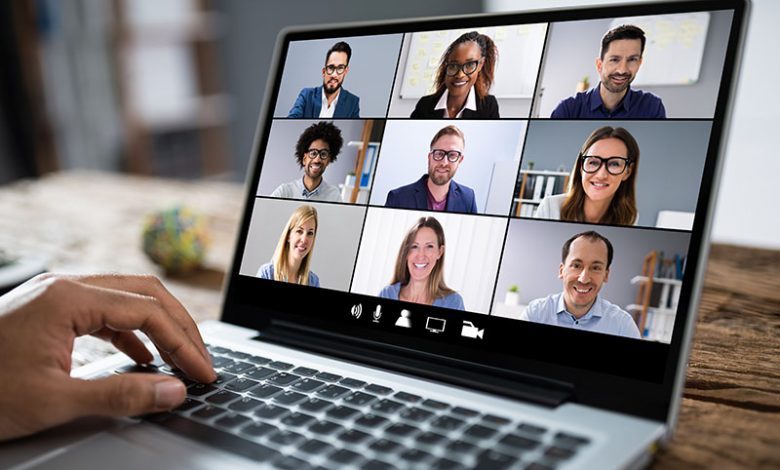
In the wake of the COVID-19 pandemic, companies are transitioning to remote work and encountering the need for appropriate technology to support this shift. Organizations must ensure that their employees are equipped with digital devices like personal computers or work laptops. These devices are the primary tools enabling efficient communication and accomplishing tasks remotely.
Table of Contents
Need for Personal Computers or Work Laptops for Employees
Work laptops or personal computers are necessary as they are the core of all work-related activities. A dedicated work laptop ensures uninterrupted productivity, from running necessary software to creating and storing essential documents. Furthermore, having dedicated work devices can minimize any potential security risks associated with personal computers used by family members or for personal use.
Requirement of Webcams, Microphones, and Headphones
In addition to personal computers or work laptops, other components like webcams, microphones, and headphones are critical to remote work. They help in facilitating virtual collaboration and maintaining communication between team members. Video conferencing, online seminars, and interactive sessions have become a regular part of day-to-day operations, so having good-quality webcams, microphones, and headphones is essential.
Importance of Up-to-Date Drivers for Smooth Functioning
All hardware devices must have their respective up-to-date drivers installed on the computer. A driver is a program that interfaces between a piece of hardware and the operating system, allowing the system to communicate with and control the hardware effectively. Keeping drivers up-to-date ensures the smooth functioning of the hardware devices and the work programs and applications employees use daily.
Software Needs
In addition to hardware requirements, efficient remote work necessitates using appropriate software tools that enable seamless communication, collaboration, and productivity. The remote work dynamic demands reassessment and proper implementation of software applications that could make team collaboration and management more efficient.
Conferencing Software for Effective Communication
Effective communication in a remote work environment requires reliable conferencing software. Digital tools like Skype, Zoom, or Microsoft Teams have become fundamental in enabling productive team meetings, webinars, and one-on-one discussions. They have features like screen sharing, chat options, and recording capabilities that enhance communication and make remote interactions more effective.
Task Management or Project Management Software for Task Allocation
Task management or project management software like Asana, Trello, or Jira is crucial for managing work and delegating tasks remotely. These tools allow for transparent task allocation, progress tracking, and deadline setting. They facilitate efficient teamwork by visualizing the work pipeline and making it clear who is responsible for what while promoting accountability among team members. For a remote workforce, productivity is paramount. Therefore, time tracking software like Toggl, Time Doctor, or Harvest provides managers with a measure of each team member's productivity. This functionality allows managers to identify bottlenecks or derive insights on productivity levels, enabling them to make informed decisions to boost team efficiency. In addition to monitoring work progression, it also helps employees stay accountable and focused on their tasks.
Selecting the Right Tools Based on Company Needs
Every organization operates in a unique business environment and culture; hence, not all tools will suit every firm. It is essential to evaluate and choose the right software tools that specifically cater to the company's business requirements, team dynamics, and operational norms.
Selecting the Right Conference Software
Selecting the right conferencing software is essential to ensure efficient remote work. With several choices available, like Zoom, Google Meet, or Cisco's WebEx, each with varying features, it is essential to do thorough research before finalizing one. Factors such as the size of the team, frequency of meetings, need for recording and sharing sessions, security features, integration with existing tools, and budget constraints should guide this decision-making process.
Each company functions differently, and so does each team within the company, which necessitates the choice of a suitable task management software template. For instance, a marketing team might prefer a visual tool like Trello for task management, while a technical team might prefer tools like JIRA that provide granular tracking. Thus, it is integral to understand the team's workflow and choose a tool that aligns with the organization's needs. User-friendliness, customization abilities, ease of integration, and scalability are some features to consider when choosing task management software.
Encouraging Employees’ Communication and Wellbeing
A productive and efficient remote work environment extends beyond just equipment and software needs. It also requires a strong focus on communication and the well-being of employees. An effective leader should aim to mitigate the challenges of isolation and stress that may be heightened due to remote work during the global pandemic.
Managers and leaders play a crucial role in shaping the remote work experience for their teams. They must lead by example and pave the way for a healthier, more sustainable work environment. This requires understanding that each team member's situation and coping mechanisms might differ and considering this when setting expectations. More than ever, leaders need to be empathetic and flexible and demonstrate strong management skills to keep team performance and morale high. Regular check-ins on employees' health and stress levels, promoting a balanced work-life dynamic, offering necessary support, and encouraging breaks are essential. Furthermore, ensuring a secure digital environment is also a fundamental requirement of remote work. Managers should discuss and implement proper cybersecurity measures to avoid data breaches or cyber-attacks on the company’s network, which may become more vulnerable due to remote access.
The Power of Open Communication
Open and regular communication is vital in a remote work setup. Leaders should consciously communicate regularly with their teams to keep them updated about any changes or updates. They should encourage transparency and foster a culture where team members feel comfortable voicing their concerns or suggestions. Video conferencing tools for team meetings can help maintain a sense of connection and make communication more personal and efficient. Moreover, recognizing team members for their excellent work and maintaining team spirit is crucial to motivating remote employees.
Maintaining Employee Wellbeing and Secure Environment in Remote Setting
Employee well-being should also be a priority for companies. Regular check-ins on employees' health and stress levels, promoting a balanced work-life dynamic, offering necessary support, and encouraging breaks are essential. Furthermore, ensuring a secure digital environment is also a fundamental requirement of remote work. Managers should discuss and implement proper cybersecurity measures to avoid data breaches or cyber-attacks on the company’s network, which may become more vulnerable due to remote access.




