
Table of Contents
System Features
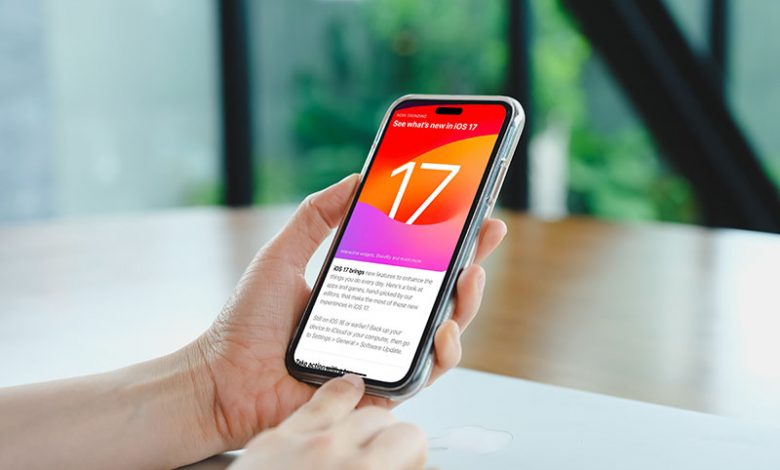
The iOS 17 system features have been significantly enhanced to offer an improved user experience. These include 'Contact Poster' that allows personalized display of contacts for incoming calls. 'Namedrop' makes sharing of your contact information easier. With 'Standby,' you can now use your phone as a smart display while charging. Interactive Widgets have also been introduced allowing users to playfully interact with their home and lock screen widgets. Additionally, the smart autocorrect observes your typing habits and provides predictive text. One of the notable features is 'Shared Passwords' that streamlines password sharing for streaming services, bank accounts, emails and more.
iMessage, FaceTime, and Phone Enhancements
In this update, features such as 'Live Voicemail' have been added. This feature displays voicemail transcriptions in real time. There is also the 'Video Message' feature that lets you leave video messages if your FaceTime calls go unanswered. The 'Stickers' features allow you to transform items from photos into stickers that can be used in chats and on social media platforms. The 'Check In' feature comes in handy when you want to share your Estimated Time of Arrival or updates on your travel. In addition, Apple has introduced 'Recurring Payments' for setting up scheduled money transfers through Apple Cash. Notable among these enhancements is the 'Blocking of Unsolicited Nude Images' feature which prevents interruption by unwelcome images in chats.
Additional App Features
Additional apps have also been enhanced. The health app now allows for the recording of mental health data. 'Reminders' can convert a list into a grocery list with clear categorization by store sections. The camera adds a level indicator to improve photo alignment. The 'Find My App' now enables sharing of AirTag with others to avoid tracking warnings. In the Maps app, you can search for electric charging stations, and even download a map for offline use. With Music, you can share music queues through SharePlay. Notes have been updated with new formatting options and inline URLs. While Safari has introduced different browsing profiles and private browsing tabs that are protected by Face ID.
Accessibility and Convenience Features
iOS 17 is also designed for accessibility and convenience. Assistive Access has been created to simplify the smartphone experience for comfortable usage. Live Speech converts text-to-speech for smoother communication. Detection Mode allows for room description via the camera while highlighting people and doors in the vicinity. The OS also includes Authentication code autofill from emails, and back-to-back Siri requests can now be made without repeating the activation phrase. With 'Ping My Watch', you can easily locate your Apple Watch using your iPhone. Other features like Document Editing, AirTag Feature and Lock Screen have also been improved to ensure utmost convenience for users.




