
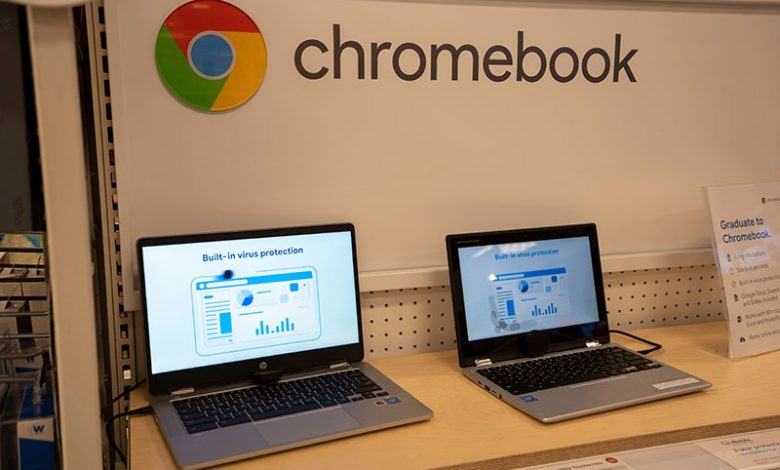
Google's Chromebooks offer a simplistic and efficient user experience centered on the power of cloud computing. By heavily investing in online tools, data synchronization between devices, and providing personalized client support, Chromebooks have emerged as a product tailor-made for the technological advancements of the modern world. Whether for managing educational material or handling business documents, they offer easy access to an array of essential files through Chrome OS.
The Chromebook's fundamental design provides a seamless experience using interconnected technologies. By integrating Google's wide range of apps and services, a Chromebook provides an efficient and cost-effective computing experience. Notably, the presence of web apps in place of installed applications provides users access to universal features, such as document editing, video streaming, and file management, even offline. Furthermore, the cloud-based approach of Chrome OS means that updates occur infrequently and require less time to complete, thus minimizing disruption to the user experience.
Table of Contents
Use of Google’s Chrome OS
Chromebooks utilize Google's Chrome OS to deliver a user experience focused on speed and simplicity. This cloud-based operating system uses the Chrome browser to carry out most functions. The absence of installed applications, as seen in operating systems like Windows or Mac OS, means that a variety of web apps are available to assist with everyday tasks, further enhancing the functionality of the Chromebook.
Chromebooks have proven to be a versatile tool across several sectors. For instance, they offer a helpful digital learning tool in the educational sphere due to their low cost and simple interface. Chromebooks provide a seamless approach to managing and accessing essential data for business users. Their portability and ease of use make them an indispensable tool when traveling. These uses underpin the continued relevance of Chromebooks in the modern world.
Chromebooks vs. Traditional Laptops
Chromebooks distinguish themselves from traditional laptops through their unique architecture and design focus. Built heavily around Google's Chrome OS and Chrome browser, they offer a different computing experience. It may be a boon for some users but also pose specific challenges for others, especially if they are more accustomed to traditional platforms like Windows or macOS. Chromebooks are ideal for users who prioritize online tasks, portability, and affordability. They are well-suited for students, casual users, and individuals mainly using web-based applications. Traditional laptops offer more versatility, performance, and compatibility, making them suitable for various tasks, including gaming, professional work, and software development. Your choice between the two will depend on your computing needs and preferences.
Using Google’s Apps and Services
One of Chromebook's significant advantages compared to other laptops is the integration and availability of Google's apps and services. These systems operate primarily online, allowing users a seamless experience across Google's suite of apps. Whether creating a document in Google Docs or organizing files in Google Drive, users have a fleet of applications at their disposal without needing installation. This unique feature stands out compared to conventional laptops, which often require users to download and install standalone applications.
Using a web-based approach through its Chrome browser, Chromebook's operating system streamlines online tasks, making it highly efficient and cost-effective. Unlike other laptop systems that often require time-consuming updates, this design choice results in infrequent and swift updates. The cloud-centric approach also enables offline access to files, documents, and even videos, which can be a significant advantage for users with sporadic internet access.
Transition Difficulties From Other Platforms
Despite the various benefits that Chromebooks offer, users accustomed to platforms such as Windows or macOS may encounter some hurdles during the transition. Due to the absence of traditionally installed applications, users may have to adapt to using web apps for tasks they'd formerly completed with standalone software. While the array of available web apps is extensive, it may not fully cover all functionality of dedicated applications users are familiar with on other platforms. Chromebooks, by design, focus heavily on their integration with the internet. Through this strategic orientation, Google's Chromebooks have a particular affinity for online functionality, which allows users to make the most of the internet's vast resources. However, this design could also present challenges for users without reliable internet access.
Focus on Online Functionality
The operating framework of Chromebooks is inherently set for online use. Due to their integration with cloud computing, a significant portion of their functionalities, such as file storage and application use, thrive when connected to the internet, making them highly adaptable to the needs of today's connected world. This web-focused design could provide significant advantages in scenarios like remote learning and digital business operations.
Chromebooks use Google's Chrome browser as their primary interface, providing users with a consistent online experience. This integration extends to Google's established user ecosystem, including applications like G-mail, YouTube, and Google Play, allowing immediate access to personal accounts straight from the laptop. This integration provides a cohesive and personalized experience, making handling personal and professional tasks more unified. Chromebooks' reliance on the web has given rise to the use of web applications and plugins. These extensions expand the capabilities of the Chrome browser and, by extension, the Chrome OS. As a benefit, users can harness the potential of various developers' contributions, enhancing their devices' overall functionality. Whether editing documents, streaming videos, or handling emails, these web apps can cover various usage scenarios, making Chromebooks versatile for modern computing needs.
Chromebooks’ Cloud Computing Benefit
The fundamental aspect of Chromebooks is their robust utilization of cloud computing which enhances their usability, harmony between devices, and accessibility to online resources. These fundamental elements offer users a highly centric and simplified computing experience, contributing to their continued relevance in our digitally-advancing world.
Simplified Computing Experience
By employing cloud computing, Chromebooks provide a simplified and clutter-free user experience. This approach eliminates the need for installing standalone software, ultimately focusing on a smooth and efficient user experience. Their 'instant-on' capabilities, complemented by a swift boot-up process, ensure minimal delays, thereby promising enhanced productivity for the user. The seamless, stable, and lag-free browser-based environment of Chrome OS provides an unobstructed workflow, further enhancing its appeal.
Syncing Data Between Devices
Cloud computing allows Chromebooks to center the user experience around online tools and seamlessly sync data between devices. This feature ensures that important files, videos, and documents are accessible from different devices simultaneously, fostering an interconnected tech experience. Whether a user switches from their phone to a Chromebook or from a Chromebook to a tablet, they can pick up right where they left off, thanks to the power of cloud syncing.
Accessing Google Apps Directly from the Desktop
Google’s Chromebook leverages the cloud to offer immediate access to Google's suite of applications right from the desktop. This includes services like G-Mail, YouTube, and Google Play, all readily accessible. Consequently, users can transition effortlessly between different tasks or applications, keeping their personal and professional lives organized. As the modern world gravitates more toward remote work and digital learning, this feature fosters productivity and efficiency.




