
Choosing the Right Graphics Card for Your PC: Understanding Your Needs, Price, and Key Features
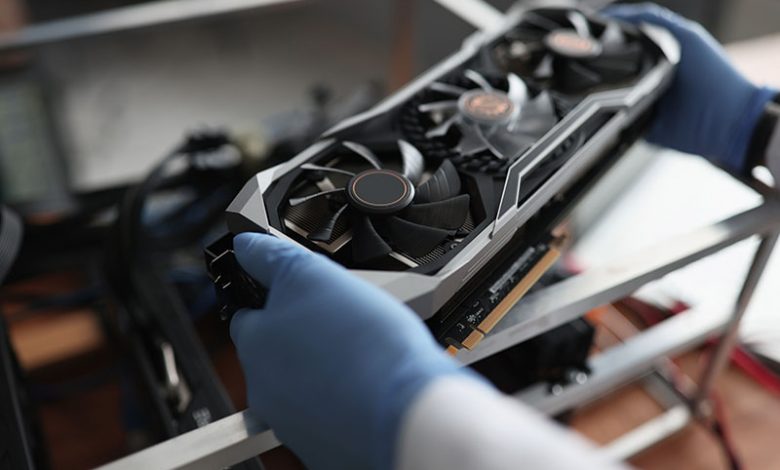
When deciding what GPU to get, one of the initial factors to evaluate is your specific PC usage needs. Graphics cards play a crucial role in determining the performance of your PC for different tasks. Their specifications, such as processor speed, memory size, and memory type, contribute to your PC's performance, especially for specific activities. It is fundamental to consider what tasks you will mainly be undertaking with your PC before choosing the GPU.
Table of Contents
Using a PC for Graphically-Intensive Activities Like Gaming and Video Editing
If your PC usage involves graphics-intensive activities, like gaming or video editing, it would require a GPU to support these tasks comfortably. The type of games you intend to play is a critical factor for gaming. Less expensive graphics cards can play many games successfully, so if high-end or 4k gaming is not your goal, these cards can save you money. But a high-powered GPU is necessary if you plan on using high-refresh rate monitors or resolutions greater than 1080p.
On the other hand, video editing and 3D rendering tasks ideally need workstation graphics cards designed explicitly for these tasks. These categories of GPUs are robust, larger, and can be more expensive than regular gaming graphics cards. They function optimally when running the software they were designed for, such as editing and rendering. While they can serve gaming purposes, their cost may not justify their utilization if gaming is your primary objective.
Typical PC Usages like Browsing and Office Work
You do not need to invest in high-end graphics cards for typical PC usage, like browsing, streaming videos, or using productivity software for office work. Integrated graphics cards are CPUs with a GPU on the same chip, providing sufficient performance for such tasks. These graphic cards are more affordable and energy-efficient, making them suitable for business or personal computers intended primarily for standard usage. Although they may not deliver high-resolution gaming or rendering capabilities, they provide a smooth user experience for everyday tasks.
The Price Factor
The graphics card's price is significant when deciding what GPU to get. Graphics cards vary considerably in price, with different cards catering to different usage needs and budgets. While all graphics cards with the same GPU tend to perform similarly, some more expensive models may offer extra features or slightly better performance. However, the cost differences should align with your usage needs and budget to justify the investment.
Investing in High-End Cards for Intensive Use
Investing in a high-end card might be prudent if your PC usage involves graphics-intensive activities such as high-end gaming or professional video editing. These games require the robust rendering capabilities of higher-end cards to ensure smooth gameplay and optimal visual experience. For instance, games like Assassin's Creed, Tomb Raider, God of War, and VR demand better GPUs than World of Warcraft, League of Legends, Fortnite, Minecraft, etc. Regarding professional software such as video and 3D rendering software, workstation graphics cards offer optimized performance for these tasks, although more expensive. Thus, investing in a high-end graphics card will be worthwhile if your budget allows it and your usage demands.
Cheaper Cards for Mundane Use
On the other hand, for more mundane PC usage like browsing, streaming, or office work, opting for cheaper cards can be a cost-effective decision. Integrated or entry-level dedicated graphics cards can offer a smooth user experience for such tasks and save some money. These types of GPUs are affordable and energy-efficient. If you play less-demanding games, an affordable entry-level graphics card can serve your purposes well. It's crucial to remember to let your budget significantly influence your decision. While better features and performance are desirable, they need to be justified by the usage to avoid overspending on unnecessary capabilities.
Specific Graphics Card Features
When deciding on a GPU, considering specific graphics card features is critical to ensure optimal performance for your tasks. Graphic card features often vary with different manufacturers or different models within the same manufacturing brand. They can influence the card's performance, the visual experience, compatibility with your PC system and monitors, and power consumption and cooling requirements.
Brand Differentiation (AMD and Nvidia)
Two leading brands dominate the graphics card market: AMD and Nvidia. Both offer high-powered, quality graphics cards, but their product features and functionalities can vary. For instance, Nvidia's G-Sync and AMD's FreeSync technologies can link up a graphics card and a monitor to ensure consistent frame rates, avoiding image tearing and ghosting. Your choice between these brands should depend on the specific requirements of your PC usage and the compatibility with other devices like your monitor. The resolution of the latter is another critical factor. A GPU that supports your monitor's resolution ensures sharp, crisp images. For gaming, a GPU that can support higher resolutions may be required for a superior experience.
Ensuring a Good Fit in Your System Case
The form factor of the graphics card should be compatible with your system case. You must ensure that the card size fits your desktop or laptop appropriately. Checking what power connectors your card uses and its thermal design power (TDP) is also necessary to guarantee that your system can provide adequate power and cooling. Ensure that the case is compatible with the size of your desired graphics card. Most cases will list the maximum GPU length they can accommodate, the number of PCIe slots, the cooling options, and the airflow design, to name a few. Beware the clearance available between the graphics card and the side panel to avoid any fitting issues.
Checking Power Supply Capacity
The power requirements of the graphics card should also be taken into account. A reliable and appropriately sized PSU ensures that your graphics card operates optimally, delivers expected performance, and remains protected from power-related issues. On the other hand, an inadequate power supply might lead to system instability or even damage the components.
Onboard RAM
Onboard RAM in graphics cards, also known as VRAM (Video RAM), serves as dedicated memory for the graphics processing unit (GPU). It stores and quickly accesses data required for rendering images, textures, and other visual elements on your display. Having sufficient and fast VRAM is essential for smooth and high-quality graphics performance in games, applications, and other graphics-intensive tasks.
GPU Speed and Multiple Cores
The speed of the GPU and the number of cores influence how quickly the card can render images. A faster GPU or a card with multiple cores provides superior performance, which is especially important for gaming or professional editing software.
Ray Tracing and VR Support
Advanced features like Ray Tracing and VR support enhance the graphics performance and create an immersive gaming experience. Ray Tracing provides real-time light simulation and cinematic-quality graphics, and VR support becomes crucial if you use VR technology. Ensure that the card you choose supports these features if you need them.
Maintaining Graphics Card Performance
Once you choose the proper GPU, it is essential to maintain its performance. Ensuring you have the most recent graphics drivers and keeping them updated is crucial to preserving your graphics card's functionality and ensuring optimal PC performance.
Updating Graphics Drivers
Drivers are software that allow your computer's hardware and operating system to communicate effectively. Graphics drivers are critical in determining the quality and speed of graphics displayed on your monitor. The manufacturers regularly update these drivers, improving performance, solving bugs, and providing support for newer technologies. Outdated graphics drivers can lead to issues like lower game performance, visual glitches, or even software crashes. Hence, regular updating of graphics drivers is crucial to maximize the performance and longevity of your GPU and prevent potential issues.
Using Driver Support to Keep Your Drivers Current
Keeping your graphics drivers current can be a manual task, but using driver support can make it seamless. Manufacturer's websites typically provide the latest drivers for their graphics cards, and opting for automatic updates ensures you receive these without manually searching for them. Software solutions can also scan your system for outdated drivers and automatically update them, reducing the need for manual intervention and ensuring your GPU operates at peak performance. Regularly updating your drivers, whether manually or through automatic support, is essential maintenance for your GPU.




