
Table of Contents
iOS 17 Release and Key Features
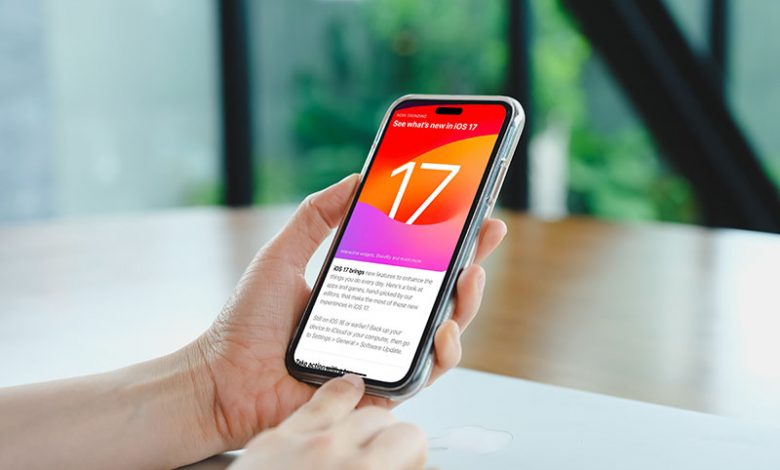
The latest update to the iOS mobile operating system, iOS 17, was first revealed during the Worldwide Developer Conference (WWDC. While the final release date of the update is not confirmed yet, it is expected to roll out to the public in the latter part of 2023. The key features of iOS 17 span an array of enhancement to existing apps, new functionalities, as well as some exciting additions.
Anticipated Release Date and Event
Generally, Apple follows a pattern for its software releases, and there is speculation that iOS 17 will be live for common users towards the end of 2023. Before the common users get going with the new system, the developers will have their hands on it to learn its nuances and adapt their applications accordingly. This cycle is expected to kick off with the beta releases during and after WWDC.
New Features Overview
Features of iOS 17 are manifold, and they promise to take the user experience to new heights. The anticipated enhancements in iMessage, FaceTime, and Phone apps indicate a more seamless and enriching interaction experience. The advanced sharing capabilities are going to boost user collaboration and communication.
One of the highly anticipated new features is the Standby mode, an aspect that is expected to provide a significant boost in performance and battery life. iOS 17 also promises interactive widgets, allowing users to engage with their apps right from their home screen. Safari too, is expected to get a major revamp, with enhancements that could redefine the mobile browsing experience.
Moreover, iOS 17 will include a new app called Journal, aimed at improving digital note-taking, reminders, and to-do lists, thereby streamlining user productivity. However, it is important to note that with these advancements, iOS 17 drops support for iPhone 8 and iPhone X, reinforcing its compatibility largely with the newer iPhone models.
Calling and Voicemail Innovations
The calling and voicemail features in iOS 17 are poised to elevate the telephonic interaction experience for its users. With a set of innovative features in store such as the Live Voicemail and redesigned contact thumbnails, the prospect of making and receiving calls on an iPhone just got more exciting.
Live Transcription of Voicemails as They are Being Recorded
iOS 17 is bringing in a game-changing feature for voicemail – the "Live Voicemail". This new take on voicemail allows users to see the content of the voicemail message in real time as it is being recorded. The live transcription is powered by the iPhone's neural engine, preserving your privacy while providing an enhanced voicemail experience. The immersiveness of this feature is akin to the call screening service provided by Google Pixel phones, allowing users to screen and monitor their calls effectively.
Ability to Still Answer the Call During Transcription
The dynamic nature of Live Voicemail is not only limited to real-time transcription. It also provides the users an opportunity to pick up the call whilst the transcription is ongoing. This proves to be particularly useful in instances when the caller is not identified as spam or a telemarketer. Thus, iOS 17 revolutionises the concept of voicemail, morphing it into a more interactive and instantaneous service.
New FaceTime Video Recording for Missed Calls
While specific details have not been mentioned, the prospects of a new feature incorporating FaceTime video recording for missed calls is certainly intriguing. This would further bolster the realm of video calls and ensure users do not miss out on important messages even when they are not immediately available to take the call. This forward-thinking approach to communication is indicative of the comprehensive and user-oriented design philosophy that underpins iOS 17.
Improved iMessage Functionalities
Communication via text messages has taken a leap forward with new features and enhancements introduced in iOS 17. With an overhaul of stickers, emoji accessibility, and addition of special effects, messaging on an iPhone is going to be much more animated, interactive, and fun-filled.
The Introduction of Stickers from Copied Photos
One of the most notable improvements in the iOS 17 Messages app is the introduction of Live Stickers. This involves the ability to convert Live Photos into stickers, adding more depth and fun to your iMessage conversations. Also, iOS 17 allows you to add any emoji or photo cutout as stickers, opening a world of possibilities for users to make their chats more engaging and personalized. Not only this, but iOS 17 even provides the ability to create and save your own stickers using the 'Remove Subject from Background' feature introduced in iOS 16.
Access to Stickers via the Emoji Keyboard
Now, stickers and emoji have become more accessible than ever before. Users can access them anywhere that the emoji keyboard can be accessed, enhancing the overall text input interface across the apps in iOS 17. This implies you can use stickers and emoji on App Store apps, pictures, emails, etc., which greatly amplifies the capability and reach of these interactive elements on the iPhone.
Addition of Special Effects to Stickers
What makes the feature of stickers in iOS 17 even more exciting is the ability to add special effects to them. Borders, colours, and animations are some of the options you can play around with to bring life to your homemade stickers. Also, the creative genius in you can be unleashed by animating your custom stickers using Live Photos, thus providing a novel edge to your text chats on the iPhone. This takes customization to a whole new level, making each sticker truly a piece of your creativity and style.
Enhanced Personal Safety Features in iMessage
In alignment with Apple's commitment to user safety and peace of mind, iOS 17 comes equipped with several innovative features in the Messages app. The "Check In" feature, options for data sharing, automatic notifications, and other functional tweaks create a comprehensive safety framework for iPhone users.
Check In Feature for Verifying Safe Arrival at Destination
A paramount addition to the iMessage features is the new "Check In" functionality. This feature has been designed with user safety in mind, allowing users to inform family and friends automatically when they reach their specified destination. This serves not only as a beacon for safety but also as a significant tool for keeping loved ones informed and relaxed about each other's whereabouts.
Different Data Sharing Levels for Personal Privacy Concerns
Privacy is always a major concern when it comes to data sharing. iOS 17 addresses this by providing users with variability in the levels of data that they can choose to share. The "Limited" share level includes location, network signal, and battery level. In contrast, the "Full" share level also includes additional details like the route traveled, the location of the last iPhone unlock, and the location where the Apple Watch was last removed, offering more comprehensive information while ensuring user privacy control.
Automatic Notifications to Chosen Contacts
In the unfortunate event that a user stops making progress towards their destination, the iMessage app will automatically check in with them. If there is no response, necessary information like the user's battery level, location, and cellular status will automatically be shared with a chosen friend or family member. This allows for immediate action in any potential crisis or emergency situation.
Smaller Tweaks Like Swipe Right to Reply and Transcribed Voice Messages
Besides these major safety features, iOS 17 also packs smaller but equally practical tweaks to the Messages app. These include a 'Swipe Right to Reply' function, which brings up the reply interface quicker than using a long press. Similarly, the feature of transcribing voice messages can be highly beneficial for users who may not be able to listen to a message at the moment it is received. iOS 17 also provides an option to auto-delete used one-time passcodes, keeping the Messages app clutter-free and more efficient.




